Before buying a property or handing over any money, it is advisable to verify who appears as the registered owner in Costa Rica's National Registry.
Costa Rica has an accessible and transparent property registration system that allows users to review basic real estate information online. The following guide explains how to perform this verification step by step.
1. Request the property's information
To perform the search, ask the person offering the property for at least one of the following:
- The owner's full name.
- National ID or identification number.
- Property registration number.
The property registration number may also be referred to as the registration number or folio real. This number identifies the property within the National Registry. Sellers commonly send a photograph of the survey plan or a document known as a Literal Certification, which contains this information. A survey plan number or a photograph of the plan alone is not sufficient.
2. Go to the National Registry website
Visit the official website of Costa Rica's National Registry by clicking here.
Before entering personal information, verify that the browser address is https://www.rnpdigital.com/.
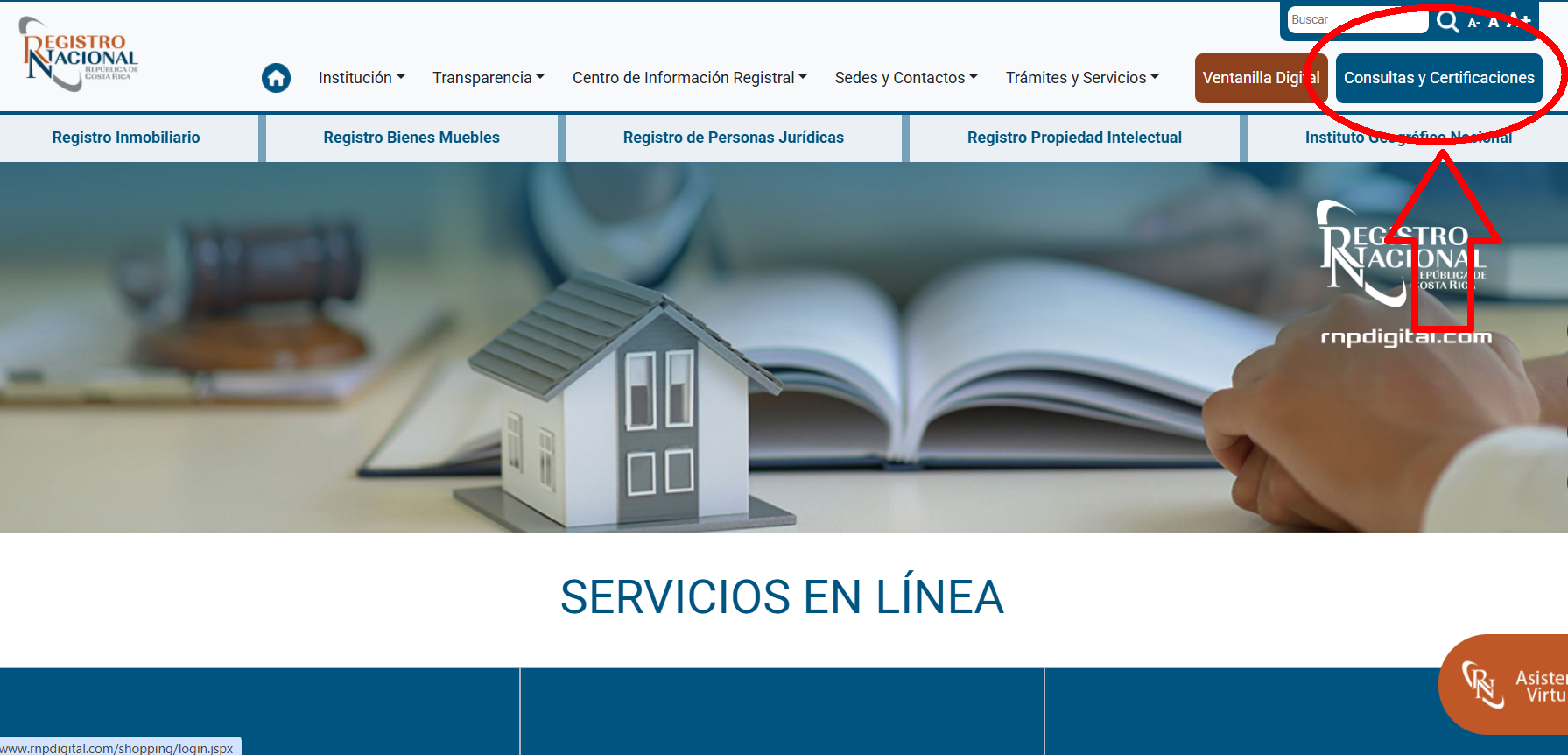
3. Select “Queries and Certifications”
At the top of the website, you will find the “Consultas y Certificaciones” button. Select it to access the Digital Certifications and Reports System.
4. Create an account if you do not already have one
If you have never used the system, select “Registrarse por primera vez”.
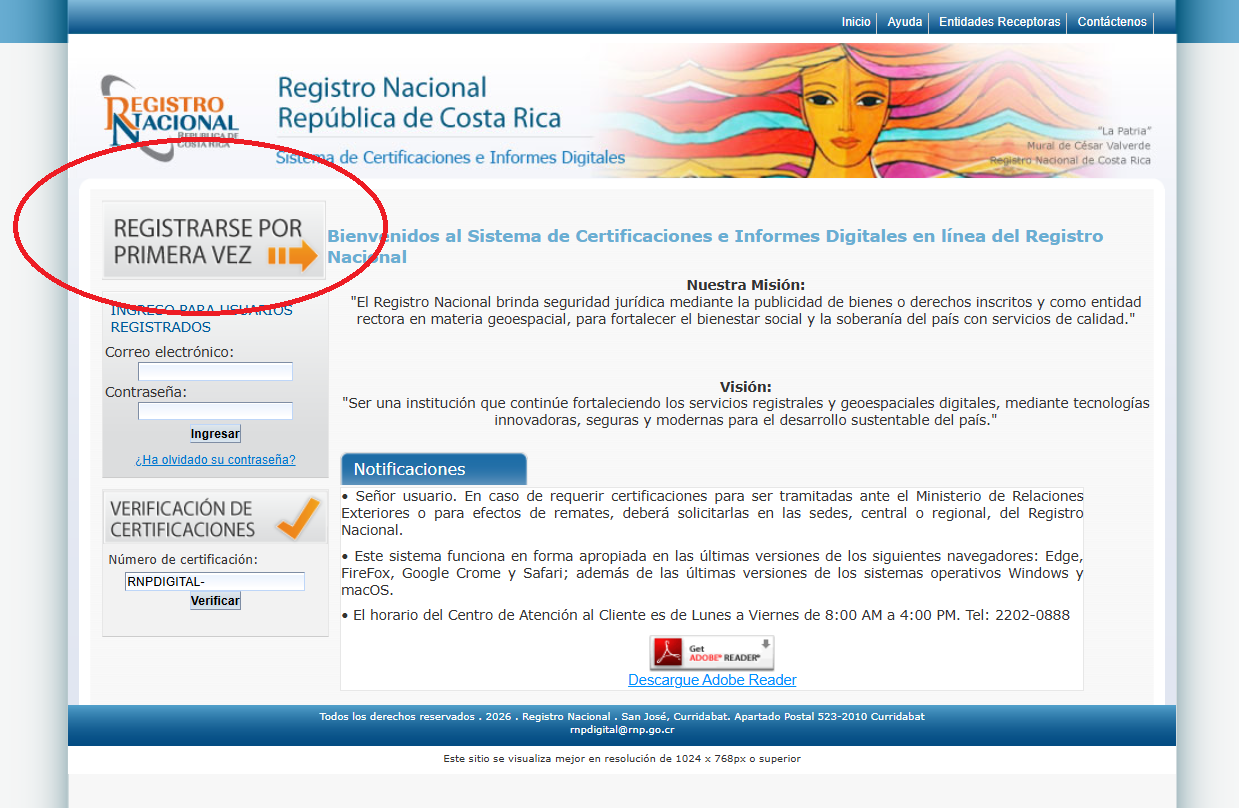
Complete the form with your first name, last name, telephone number, email address, and password.
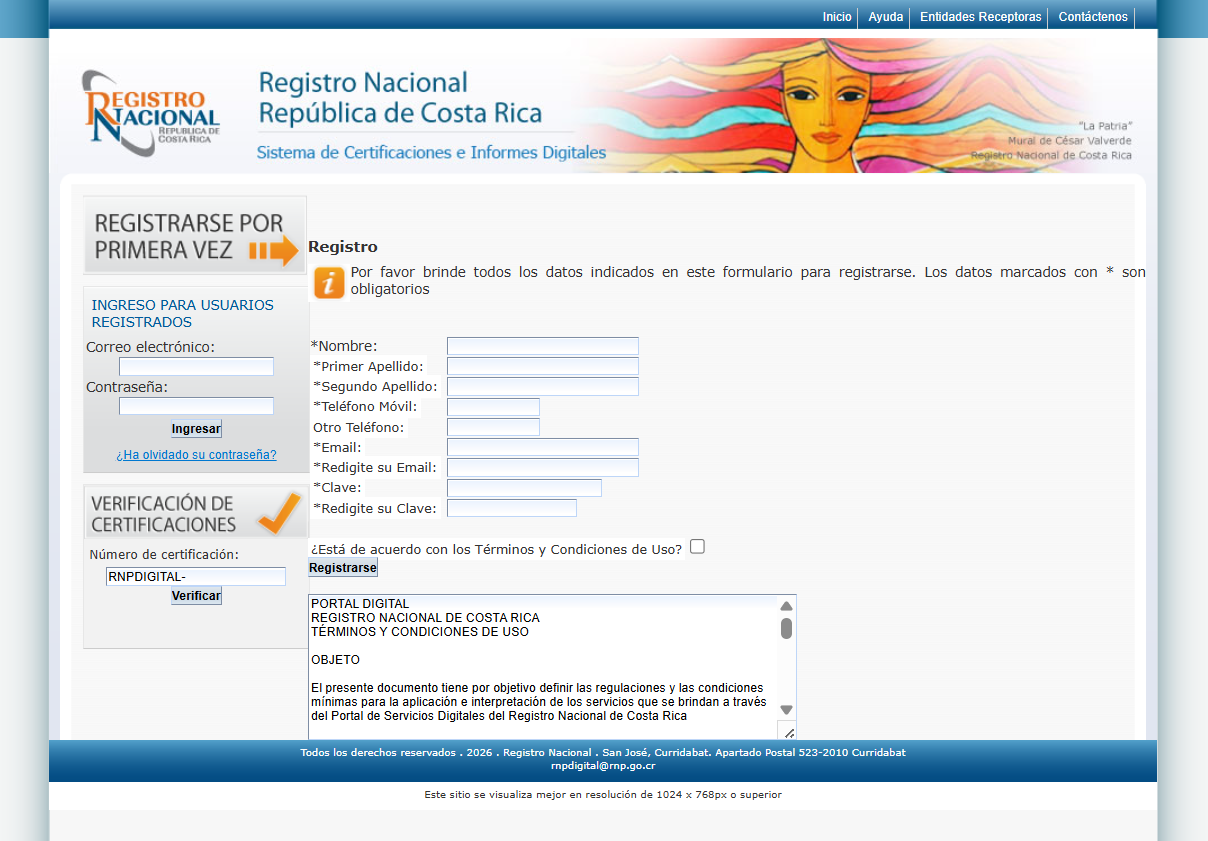
After registering, you will receive an email containing a link to activate your account. Open that link before attempting to sign in.
5. Sign in
Return to the portal and sign in using the email address and password you registered.
If you cannot find the activation email, check your spam, junk, and promotions folders.
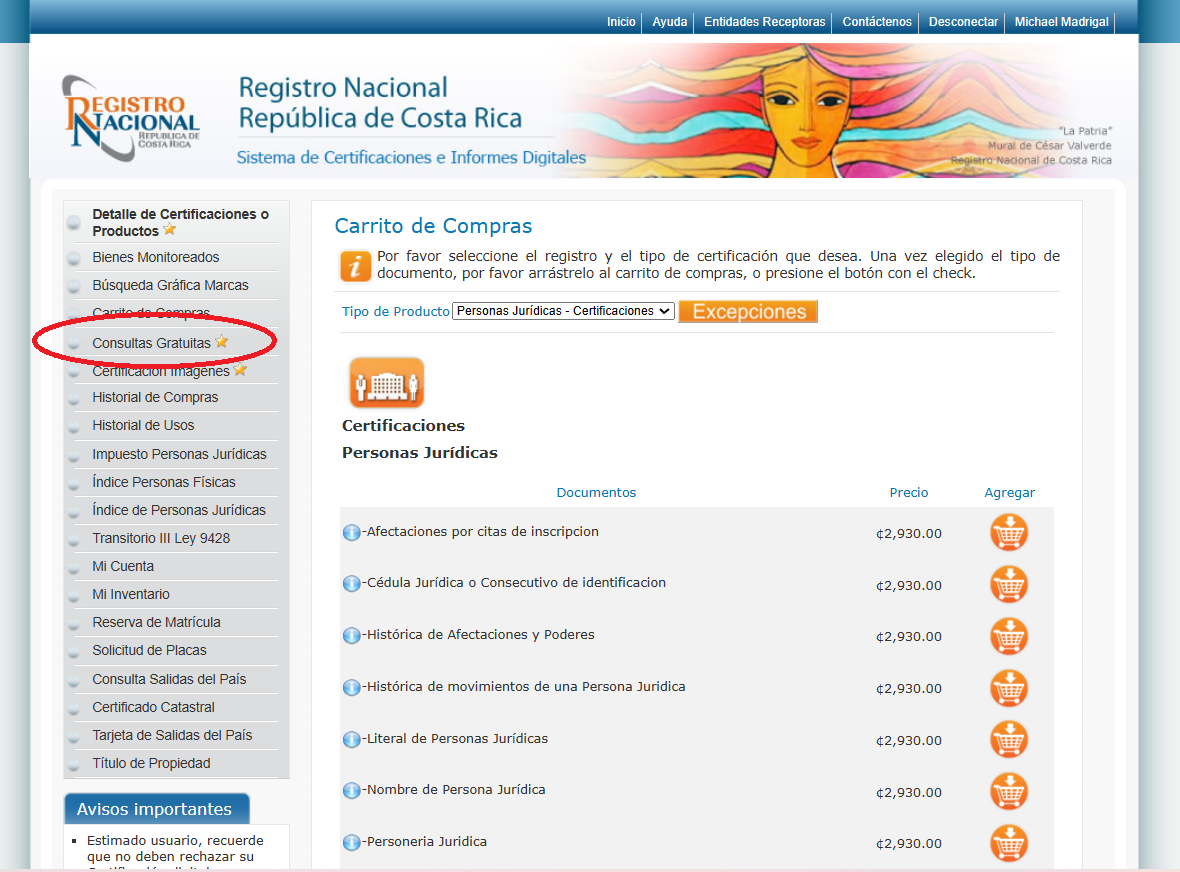
6. Select “Free Queries”
Once inside the system, locate the “Consultas Gratuitas” option in the side menu.
This section provides several ways to search for people and real estate.
7. Choose a search method
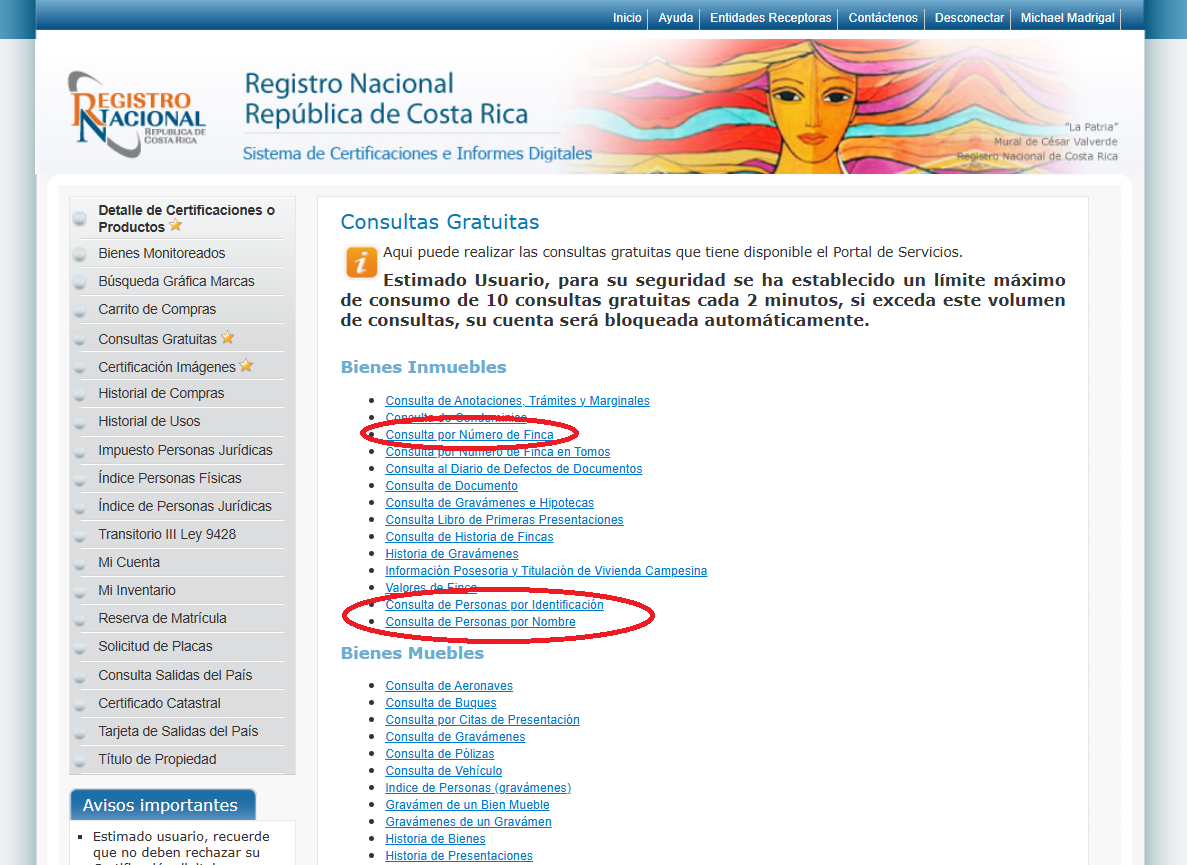
Under “Consultas Gratuitas,” you will find several options. To verify who appears as the owner, you can use the following searches:
Search for a person by name
This option allows you to search using a person's full name. It may return several people with similar names, so compare the results carefully.
Search for a person by identification number
This option allows you to search using the national ID or identification number of the supposed owner. It is usually more precise than searching by name.
Search by property registration number
This option allows you to search directly for the real estate using its property registration number, registration number, or folio real.
Depending on the type of search, the system may also ask for the province where the property is registered.
8. Review who appears as the owner
Once you find the property, review the name of the person listed as the registered owner.
Compare that information with the name and identification number of the person offering you the property.
Also verify that the property registration number and province match the documents provided by the seller.
Warning: if the registered owner's name does not match the person offering the property, request an explanation before continuing with the negotiation.
What if you cannot find the property?
If the search returns no results, verify that the name, identification number, property registration number, and province were entered correctly.
You may also try one of the other available search methods.
Not finding the property does not automatically mean that it is a scam, but it is a reason to pause and verify the information again before handing over any money.
This search provides a preliminary verification of the person who appears as the registered owner. Information from the portal does not replace a complete registry study or advice from a Costa Rican notary public.